5 Easy website tweaks you can do in 10 minutes or less

If “finish website” has been sitting on your to-do list for months, you’re not alone.
When you’re DIYing your website, it can feel like you need a full free day, endless brainpower, and about six cups of coffee just to make progress. So the task keeps getting pushed further down the list… while your website stays exactly the same.
But here’s the truth: You don’t need a complete overhaul to improve your website.
In fact, breaking things down into small, manageable chunks is far more effective. Tiny updates done consistently add up to real progress and feel way less overwhelming.
So if you’ve got 10 minutes spare this week, start with one of these.
Task 1: Add a Call To Action at the Bottom of Every Page
Once someone reaches the end of a page, what should they do next? If you’re not guiding them, they’ll likely leave.
Add a simple call to action (CTA) that invites them to continue exploring your website, such as:
Get in touch
View my services
Book a discovery call
Read more on the blog
Your goal is to keep visitors moving instead of dropping off.
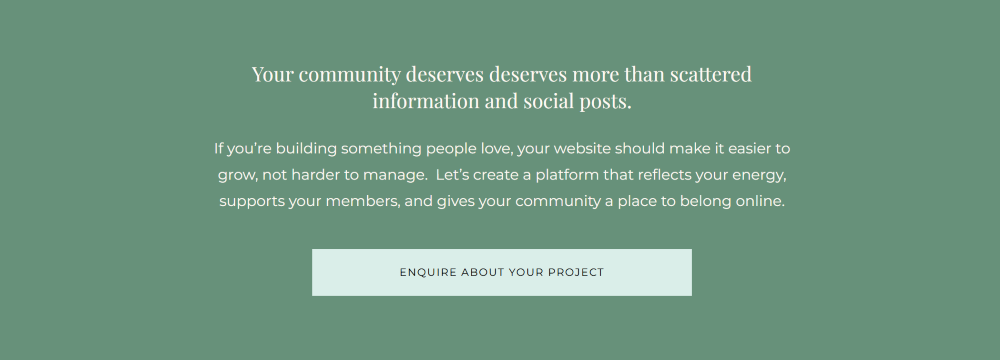
Here’s an example from one of my portfolio pages where I want to inspire action and encourage readers who made it to the end of the page to take action:
Task 2: Double-Check Your Contact Form Is Actually Working
This sounds obvious, but you’d be surprised how many forms are broken without the owner realising.
Test it yourself:
Submit the form.
Make sure it lands in your inbox.
Check any automated replies are sending correctly.
While you’re there, remove any unnecessary questions. The shorter the form, the more likely people are to complete it.
Task 3: Add Alt Text to Your Images
Alt text is a short description of an image that helps:
Screen readers understand your content (important for accessibility)
Search engines understand your website (helpful for SEO)
For example, instead of leaving it blank, write something like: “Website homepage design for a wellness coach with neutral colours.”
It takes seconds but improves both usability and visibility.
Task 4: Check Your 404 Page Has a Clear Call To Action
Your 404 page is what people see if they click a broken link or type in the wrong URL. Without guidance, this is a dead end.
Instead, turn it into a helpful redirect by adding a CTA like:
Head back to the homepage
Browse services
Contact me for help
You can’t always prevent mistakes but you can help visitors recover from them.
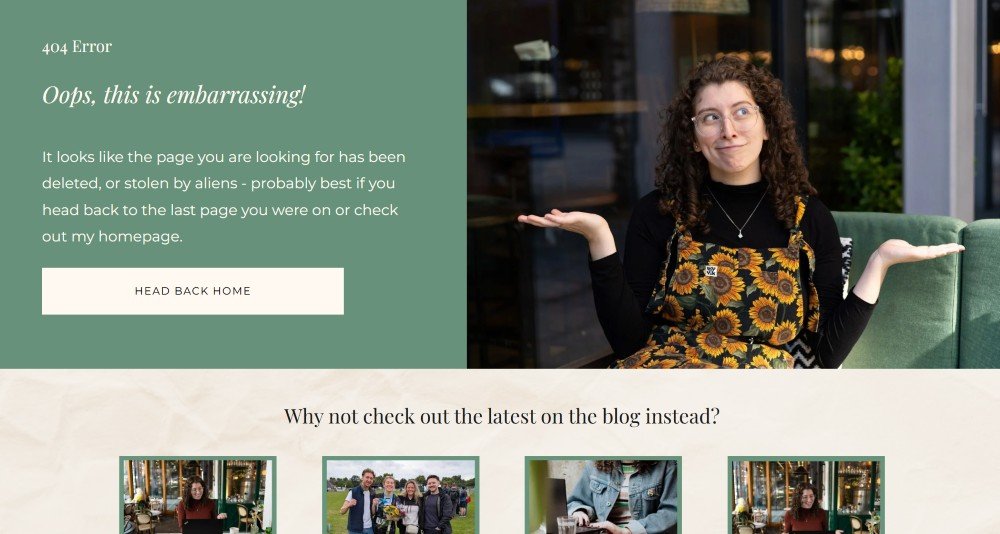
Here’s an example from my own website where I have a button back to the homepage AND links to my most recent blog posts as an alternative.
Task 5: Add a Recent Testimonial
Fresh testimonials build trust faster than almost anything else.
Add a new one to:
Your homepage
Your services page
A dedicated testimonials section
Don’t have a recent review? Send a quick email to a past client asking for a few lines of feedback. Most people are happy to help, they just need prompting.
Small Changes = Big Results
Each of these tasks takes no more than 10 minutes.
But when you do them regularly, they dramatically improve how your website performs.
This is exactly why I encourage business owners inside my membership The DIY Website Club to focus on small, consistent updates instead of waiting for the mythical “day when I redo the whole site.”
Because progress doesn’t come from perfection. It comes from momentum.
Want Help Staying Consistent?
If you’d like regular guidance, structure, and accountability while you improve your website, my membership is designed to help you take action in the limited time you actually have available.
Inside, you get weekly 10-minute tasks, support, and dedicated time to get things done, so you can build a website that genuinely works for your business (without the overwhelm or going it alone).
I’d love to support you.